If you are currently using Nimbus on Sierra or Hotel, or if your work relies on an existing virtual machine image hosted on those clouds, then you need to take action.
In a few days, the Nimbus cloud on Sierra will become unavailable. As a result, following the recent announcement of changes in Nimbus cloud allocations on FutureGrid, the Hotel cloud will be gradually converted from Xen to KVM virtualization. In addition to being compatible with the Alamo Nimbus cloud, this allows us to support recent Linux distributions and brings better compatibility with virtual machine images built using other virtualization platforms (VirtualBox for example).
We have now made available a Nimbus cloud on Hotel using KVM virtualization. The existing Xen cloud on Hotel will remain available until the end of March to allow users to migrate their environments. To start using the Nimbus Hotel KVM cloud, extract a fresh copy of your credentials and use the hotel-kvm.conf configuration file.
As soon as possible, you should migrate your Xen images from Sierra and Hotel to a KVM cloud: either to Alamo or to the new Hotel KVM cloud.
If your virtual machine image only contains small modifications from the base environment, we advise to create a new one using the base images on those clouds.
If your virtual machine image contains heavy modifications, you can follow our instructions to convert your Xen image to KVM.
If you need any assistance for this process, please contact us through the FutureGrid help system.
Thursday, March 6, 2014

Tuesday, February 18, 2014
Changes in Nimbus Cloud Allocations in FutureGrid
Dear Nimbus Users,
FutureGrid has decided to decommission the Nimbus Cloud on Sierra at San Diego Supercomputing Center.
Over the last several years Sierra and Hotel have been the two most used FutureGrid clouds. Sierra has fulfilled an important role for many Nimbus-based projects as a complement to Hotel: both Sierra and Hotel are configured with the Xen hypervisor so it was easy for users to move their virtual machines between the clouds when one of them was down for maintenance or to configure distributed experiments. We will be sad to see Sierra go, but in the meantime we made plans to facilitate the transition for our users.
In order to provide the same level of service, i.e., provide two closely integrated clouds such that users can move easily from one to the other, we will reconfigure Hotel such that the Nimbus Alamo cloud at TACC and the Nimbus Hotel cloud at University of Chicago support the same configuration. Since Alamo is configured with KVM, this will mean that the Hotel cloud will now also support KVM.
What this means to you: If you are using Nimbus on Sierra or Hotel it means that you will need to convert your images from Xen to KVM. We will of course provide guides on how to make this conversion as well as base KVM images that can be configured with user software. To allow our users time to make the change we will also operate both the Nimbus-Xen and Nimbus-KVM clouds at University of Chicago side by side for a month.
Timetable: The Hotel Nimbus-KVM cloud will become available on March 3rd and the Hotel Nimbus-Xen cloud will shut down on March 31st. The Sierra Nimbus-Xen cloud will become unavailable after March 3rd.
Both Alamo and Hotel also support OpenStack KVM-based clouds with complementary configurations used by an increasing number of projects. As you are migrating your work from the Hotel and Sierra Nimbus-Xen clouds, please consider using one of those clouds as well. The amount of physical resources allocated to Nimbus and OpenStack will be based on cloud utilization.
FutureGrid has decided to decommission the Nimbus Cloud on Sierra at San Diego Supercomputing Center.
Over the last several years Sierra and Hotel have been the two most used FutureGrid clouds. Sierra has fulfilled an important role for many Nimbus-based projects as a complement to Hotel: both Sierra and Hotel are configured with the Xen hypervisor so it was easy for users to move their virtual machines between the clouds when one of them was down for maintenance or to configure distributed experiments. We will be sad to see Sierra go, but in the meantime we made plans to facilitate the transition for our users.
In order to provide the same level of service, i.e., provide two closely integrated clouds such that users can move easily from one to the other, we will reconfigure Hotel such that the Nimbus Alamo cloud at TACC and the Nimbus Hotel cloud at University of Chicago support the same configuration. Since Alamo is configured with KVM, this will mean that the Hotel cloud will now also support KVM.
What this means to you: If you are using Nimbus on Sierra or Hotel it means that you will need to convert your images from Xen to KVM. We will of course provide guides on how to make this conversion as well as base KVM images that can be configured with user software. To allow our users time to make the change we will also operate both the Nimbus-Xen and Nimbus-KVM clouds at University of Chicago side by side for a month.
Timetable: The Hotel Nimbus-KVM cloud will become available on March 3rd and the Hotel Nimbus-Xen cloud will shut down on March 31st. The Sierra Nimbus-Xen cloud will become unavailable after March 3rd.
Both Alamo and Hotel also support OpenStack KVM-based clouds with complementary configurations used by an increasing number of projects. As you are migrating your work from the Hotel and Sierra Nimbus-Xen clouds, please consider using one of those clouds as well. The amount of physical resources allocated to Nimbus and OpenStack will be based on cloud utilization.
Thursday, January 16, 2014
OpenStack Havana is available on Hotel
We are happy to announce that our new OpenStack Havana cloud on Hotel is ready!
OpenStack is now available on Hotel for all FutureGrid users. You can access the OpenStack cloud on Hotel by using your FutureGrid username and password to log into the web interface. You will find various virtual machine images based on CentOS, Fedora, Scientific Linux, and Ubuntu. For more information follow the documentation on the FutureGrid portal.
We also provide an EC2-compatible API over HTTPS. Credentials for this API can be retrieved in the "Access & Security" section, under the "API Access" tab. Additionally, Nimbus Phantom also supports deploying instances on this cloud (look at our documentation to learn more about Phantom).
We have configured this cloud to behave similarly to the existing Nimbus cloud on Hotel, in order to provide a better user experience. As such, OpenStack instances get public IP addresses by default. Additionally, instances hostnames are configured to match the DNS name associated with the public IP address. For example, an instance which is assigned a public IP address of 149.165.149.2 gets configured with an internal hostname of vm-149-2.uc.futuregrid.org. Both can be used to connect to the instance via SSH from your workstation.
Any question or bug report about the new OpenStack cloud on Hotel should be sent to the FutureGrid help system.
OpenStack is now available on Hotel for all FutureGrid users. You can access the OpenStack cloud on Hotel by using your FutureGrid username and password to log into the web interface. You will find various virtual machine images based on CentOS, Fedora, Scientific Linux, and Ubuntu. For more information follow the documentation on the FutureGrid portal.
 |
| Images available for OpenStack Havana on Hotel |
We also provide an EC2-compatible API over HTTPS. Credentials for this API can be retrieved in the "Access & Security" section, under the "API Access" tab. Additionally, Nimbus Phantom also supports deploying instances on this cloud (look at our documentation to learn more about Phantom).
We have configured this cloud to behave similarly to the existing Nimbus cloud on Hotel, in order to provide a better user experience. As such, OpenStack instances get public IP addresses by default. Additionally, instances hostnames are configured to match the DNS name associated with the public IP address. For example, an instance which is assigned a public IP address of 149.165.149.2 gets configured with an internal hostname of vm-149-2.uc.futuregrid.org. Both can be used to connect to the instance via SSH from your workstation.
Any question or bug report about the new OpenStack cloud on Hotel should be sent to the FutureGrid help system.
Wednesday, December 4, 2013
OpenStack Havana is ready on India
We are happy to announce that OpenStack's Havana version is ready on India.
If you already have account on FutureGrid, you can use it with this steps.
If you belong to multiple projects, you can easily switch your tenant/project, with this.
Other than the initial setting, the rest of how-to is the same as our OpenStack Grizzly Manual.
If you find an issue, please submit a ticket.
https://portal.futuregrid.org/help
And also, OpenStack Orchestration, called Heat, will be available soon.
Thanks,
If you already have account on FutureGrid, you can use it with this steps.
ssh <username>@india.futuregrid.org
module load novaclient
source ~/.futuregrid/openstack_havana/novarc
If you belong to multiple projects, you can easily switch your tenant/project, with this.
source ~/.futuregrid/openstack_havana/<project_id>
Other than the initial setting, the rest of how-to is the same as our OpenStack Grizzly Manual.
If you find an issue, please submit a ticket.
https://portal.futuregrid.org/help
And also, OpenStack Orchestration, called Heat, will be available soon.
Thanks,
Tuesday, November 5, 2013
New features in Phantom available on FutureGrid
We recently released Summer Highlights for the Phantom project: many new exciting features got added, including support for multi-cloud appliances and contextualization. Head over to the Nimbus Project web site for a full description of the improvements.
Phantom allows the user to deploy a set of virtual machines over multiple private, community, and commercial clouds and then automatically grows or shrinks this set based on policies defined by the user. This elastic set of virtual machines can then be used to implement scalable and highly available services.
Phantom has been introduced to the FutureGrid community at the XSEDE 2012 conference with examples from early Phantom users. A generally available Phantom FutureGrid service (alpha) was announced earlier this year.
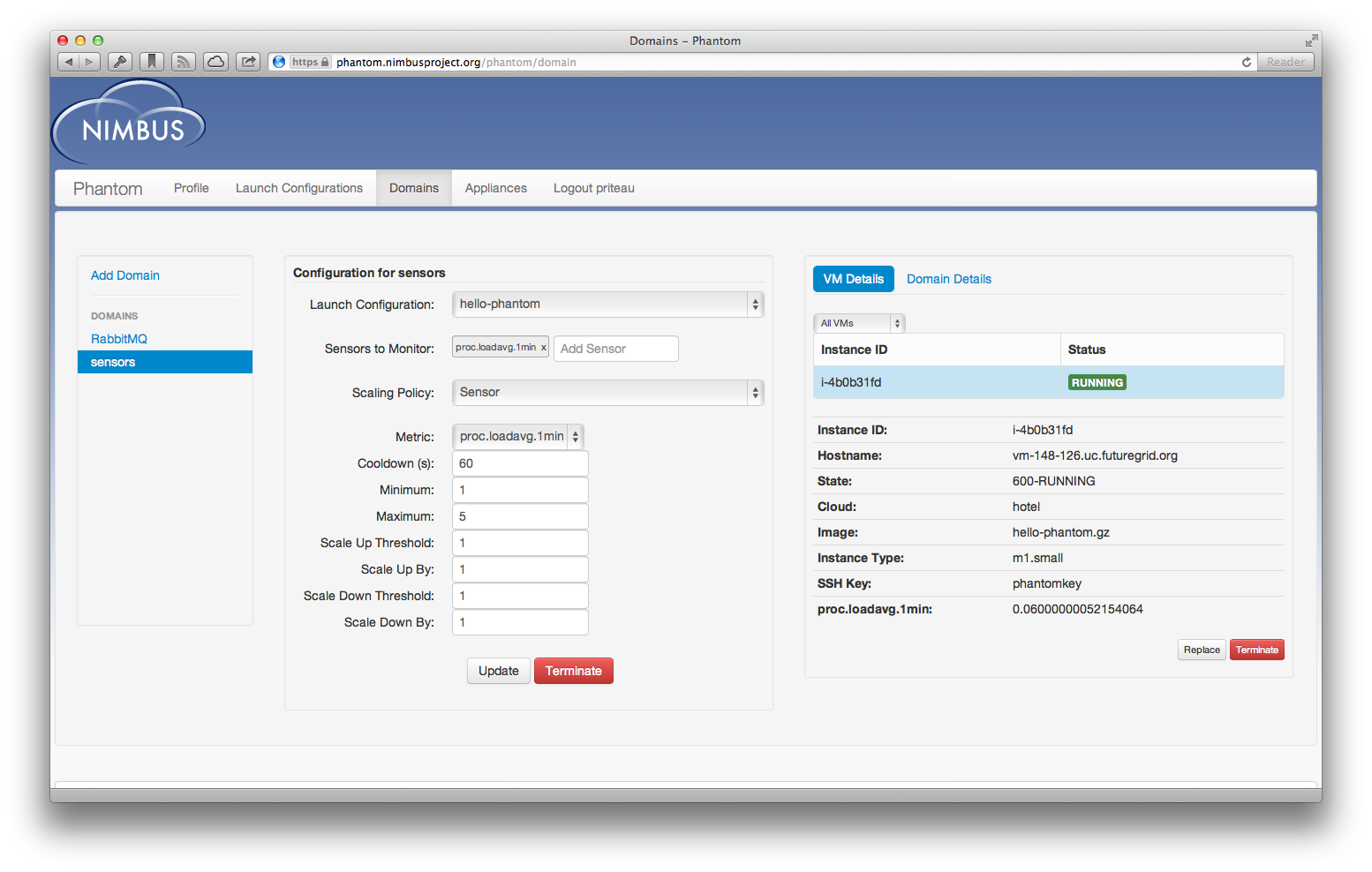
Since then the FutureGrid Phantom service has deployed over 14,000 virtual machines on behalf of 26 users using it as a portal to multiple FutureGrid clouds, to cloud burst from FutureGrid to Amazon EC2, or to leverage its monitoring, scalability and high availability features. If you want to try Phantom too, follow our documentation page that will get you started very quickly.
We are continuously working hard to make Phantom a more powerful platform for FutureGrid. We are planning exciting new features in the fall!
Phantom allows the user to deploy a set of virtual machines over multiple private, community, and commercial clouds and then automatically grows or shrinks this set based on policies defined by the user. This elastic set of virtual machines can then be used to implement scalable and highly available services.
Phantom has been introduced to the FutureGrid community at the XSEDE 2012 conference with examples from early Phantom users. A generally available Phantom FutureGrid service (alpha) was announced earlier this year.
Since then the FutureGrid Phantom service has deployed over 14,000 virtual machines on behalf of 26 users using it as a portal to multiple FutureGrid clouds, to cloud burst from FutureGrid to Amazon EC2, or to leverage its monitoring, scalability and high availability features. If you want to try Phantom too, follow our documentation page that will get you started very quickly.
We are continuously working hard to make Phantom a more powerful platform for FutureGrid. We are planning exciting new features in the fall!
Subscribe to:
Posts (Atom)